FL Studio vs Ableton: An In-depth Analysis for Independent Music Artists
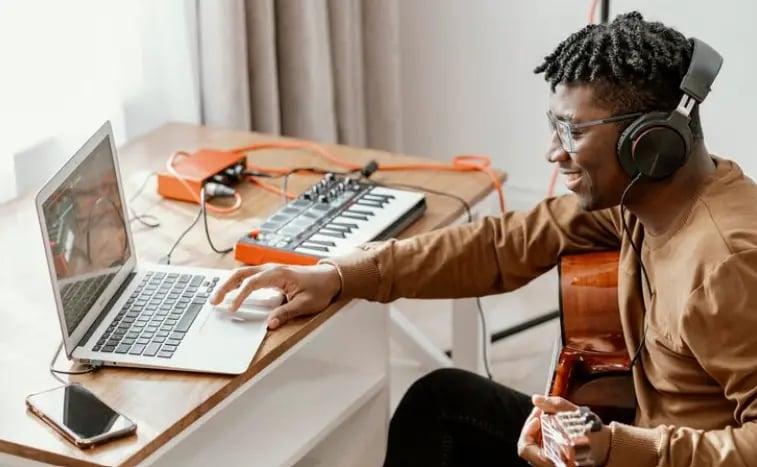
The single most debated question in music production communities — from Reddit threads and YouTube comments to Discord servers and studio conversations — has never been about which plugin sounds best or which synth is most versatile. It has always been this: FL Studio vs Ableton — which DAW should I use?
For independent music artists in 2026, this question is more consequential than ever. Your Digital Audio Workstation is not just a tool. It is your creative environment, your workflow engine, your mixing desk, your performance platform, and often your recording studio — all in one piece of software. Get it right and you build music faster, more joyfully, and with results that reach the world. Get it wrong and you spend months fighting your software instead of finishing songs.
The good news is that both FL Studio and Ableton Live are genuinely excellent DAWs used by millions of professional artists worldwide. The bad news is that they are designed around fundamentally different philosophies — and choosing the wrong one for your working style can slow your creative growth significantly. FL Studio 2026, with collaborative cloud sessions, a redesigned mixer, and lifetime free updates, appeals to beatmakers, producers, and independent artists on a budget. Ableton Live 12, with real-time stem separation, deeper MPE support, and its legendary Session View, appeals to live performers, experimental producers, and artists who think in loops before they think in linear arrangements.
This complete, in-depth analysis walks independent music artists through every dimension of the FL Studio vs Ableton decision — interface and workflow, features, pricing, genre fit, live performance, plugin ecosystems, learning curves, AI and future-proofing, and ultimately how to decide which one is right for your specific creative goals. By the end, you will know exactly which DAW to choose — and how to use it to make music you can release globally through A3 Tunes for just ₹1 a day.
What Is FL Studio? A Background for Independent Artists
FL Studio — developed by Belgian company Image-Line and originally called FruityLoops when it launched in 1997 — has grown from a simple step sequencer into one of the most powerful and feature-rich DAWs in the world. FL Studio 2026 (version 25) is available on both Windows and Apple Silicon Macs, with a passionate global user base of millions spanning hip-hop, trap, EDM, pop, and increasingly indie and singer-songwriter genres.
The Philosophy Behind FL Studio
FL Studio is built around a pattern-based workflow. You create musical patterns — beats, melodies, basslines, chord progressions — in a step sequencer or piano roll, arrange those patterns in the Song Editor, and build your full track from connected pattern blocks. This modular, bottom-up approach is natural and intuitive for producers who think in loops, build beats first, and layer arrangements around a rhythmic foundation.
The interface is colorful, modular, and highly customizable. Multiple windows — the Channel Rack, Piano Roll, Mixer, Browser, and Song Editor — can be arranged and sized independently, giving each producer a personalized workspace. This flexibility is FL Studio’s greatest strength for creative producers and its steepest learning curve for beginners who need more structure.
FL Studio’s Biggest Competitive Advantage — Lifetime Free Updates
The single most discussed FL Studio advantage is its lifetime free update policy. Purchase FL Studio once — at any tier — and you receive every future version for free, forever. This is extraordinary in an industry where Ableton charges full upgrade prices for major version releases and Logic Pro periodically charges upgrade fees.
For independent artists on a budget, this policy transforms the cost calculation entirely. An FL Studio Producer Edition purchase in 2020 has received every update through 2026 — including major feature additions — at zero additional cost. The long-term value is unmatched in the DAW market.
Who Uses FL Studio?
FL Studio’s user community spans genres but skews strongly toward electronic music, hip-hop, trap, and EDM. Producer legends including Martin Garrix, Deadmau5, Avicii, Afrojack, Soulja Boy, and Metro Boomin have all worked extensively in FL Studio. In India, FL Studio is widely used by independent producers across Bollywood-adjacent genres, regional EDM scenes, and emerging hip-hop communities in Delhi, Mumbai, and beyond.
What Is Ableton Live? A Background for Independent Artists
Ableton Live — developed by German company Ableton and first released in 2001 — took a fundamentally different approach to music production from the start. Rather than building a traditional linear DAW, Ableton designed a dual-environment tool that serves both studio production and live performance simultaneously. Ableton Live 12, the current 2026 version, introduces real-time stem separation, deeper MIDI Polyphonic Expression (MPE) support, and an expanded Max for Live library.
The Philosophy Behind Ableton Live
Ableton’s defining innovation is its dual-view architecture. The Session View is a clip launcher — a grid of musical clips (loops, samples, MIDI patterns) that can be triggered, combined, and improvised with in real time, like a musical instrument. The Arrangement View is a traditional linear timeline where clips are arranged into a full song from left to right. Producers who use both views describe a uniquely creative workflow — experimenting in Session View until something clicks, then capturing that arrangement into the Arrangement View to develop it into a finished track.
This architecture makes Ableton uniquely powerful for producers who improvise, loop-jam, perform live, and work in genres where real-time experimentation is central to the creative process.
The Max for Live Ecosystem
One of Ableton’s most powerful features is Max for Live — a visual programming environment that allows artists and developers to build custom instruments, effects, and tools that integrate directly into Live. The Max for Live community has produced thousands of extraordinary devices — generative sequencers, granular processors, modular-style patches, AI music tools — available through Ableton’s Pack library and the wider community. This extends Ableton’s capabilities far beyond what any other DAW offers out of the box.
Who Uses Ableton?
Ableton’s user community skews toward electronic music, experimental production, live electronic performance, and sound design. Artists including Aphex Twin, Four Tet, Flume, Skrillex, Daft Punk, Flying Lotus, and Caribou have used Ableton extensively. It is the dominant DAW in club music, ambient, experimental electronic, and live performance contexts globally.
FL Studio vs Ableton — Interface and Workflow Comparison
The most important difference between FL Studio and Ableton is not pricing or features — it is workflow philosophy. Understanding how each DAW approaches the creative process is the most critical factor in choosing between them.
FL Studio’s Pattern-Based Workflow Explained
In FL Studio, everything starts with a pattern. You open the Channel Rack, load your sounds, program a beat or melody in the Step Sequencer or Piano Roll, and then arrange multiple patterns in the Song Editor to build a full song. Each pattern can contain multiple instruments and can be of any length. You can work on multiple patterns simultaneously, which many producers find ideal for maintaining creative momentum without getting locked into linear arrangement decisions too early.
The Piano Roll — universally regarded as one of the best piano rolls of any DAW — is a particular strength. Its note manipulation tools, including glue, chop, strum, arpeggiate, and quantize functions, are more comprehensive and intuitive than most competitors. For MIDI-driven production, FL Studio’s piano roll often provides a decisive workflow advantage.
Ableton’s Dual-View Session and Arrangement Workflow Explained
Ableton’s workflow begins in either the Session View or the Arrangement View, depending on the artist’s preference. Session View is a non-linear, clip-based environment where rows represent individual tracks and columns represent scenes — groups of clips that play together. Artists launch clips, combine scenes, and improvise freely until a musical idea crystallizes.
This approach is uniquely creative for artists who discover their music through experimentation rather than planning. Instead of designing a song from the top down, you jam until something emerges organically, then capture that moment and develop it. For artists with a background in live instruments, DJ performance, or improvised music, this workflow often feels more natural than FL Studio’s pattern-first approach.
Which Workflow Suits Independent Artists Better?
For independent artists who primarily produce beats, instrumentals, and loop-based music — especially in hip-hop, trap, EDM, and electronic genres — FL Studio’s pattern-based workflow is typically faster and more intuitive. For independent artists who perform live, work in experimental genres, or prefer to discover arrangements through improvisation, Ableton’s Session View is transformative.
FL Studio vs Ableton — Feature-by-Feature Comparison
Piano Roll and MIDI Editing
FL Studio has the better piano roll. Its MIDI editing tools — including advanced quantization, note grouping, detailed velocity and panning control, chord stamping, and a range of MIDI manipulation tools — are more comprehensive than Ableton’s. For producers whose work is primarily MIDI-driven, FL Studio’s piano roll is a genuine competitive advantage.
Ableton offers a competent piano roll that handles standard MIDI editing well but lacks some of the advanced manipulation tools FL Studio provides. The 2026 Live 12 update added deeper MPE support, which significantly improves expressive MIDI performance for artists using MPE-compatible controllers.
Audio Recording and Editing
Ableton has the stronger audio recording and editing suite. Its audio warping tools — using multiple Warp modes including Complex Pro, Beats, Tones, and Texture — are among the most sophisticated in any DAW, allowing producers to time-stretch and pitch-shift audio with remarkable quality and flexibility. Multi-track audio recording is smooth, intuitive, and professional.
FL Studio has improved significantly in audio recording in recent versions and handles most recording scenarios well. However, for artists whose work is primarily built around audio recording (live bands, singer-songwriters, vocalists, acoustic producers), Ableton still holds an edge in the depth and quality of its audio editing toolkit.
Session View vs Song Editor
This is the most fundamental feature difference. Ableton’s Session View has no equivalent in FL Studio. It enables real-time clip launching, live looping, and non-linear arrangement in a way that changes how artists think about music creation. For live performers and experimental producers, this feature alone can justify choosing Ableton regardless of any other consideration.
FL Studio’s Song Editor is a powerful linear arrangement environment but lacks the real-time performance flexibility of Session View. Artists who want to improvise, perform, or create music through real-time loop interaction will find FL Studio’s arrangement approach significantly more limiting.
Built-In Instruments and Effects
Ableton Live Suite includes an exceptional library of built-in instruments — Operator, Wavetable, Meld, Drift, Analog, Electric, Collision, and more — plus a comprehensive effects suite. The Suite version’s instrument collection is genuinely professional-grade and could power an entire production career without any additional plugins.
FL Studio Producer and All Plugins Bundle includes an enormous library of instruments and effects — ZGameEditor Visualizer, Harmor, Sytrus, FLEX, Fruity Convolver, and dozens more. The All Plugins Edition, which includes every plugin Image-Line has ever made, represents extraordinary value. However, the quality of individual instruments varies more widely than in Ableton’s tightly curated collection.
Automation
Both DAWs handle automation well, but in different ways. FL Studio’s automation clips — which operate as separate objects in the Song Editor — offer flexibility for complex automation that changes across the song. However, the workflow can feel indirect compared to other DAWs. The 2026 version introduced smarter automation clips that simplify some of this complexity.
Ableton’s automation is drawn directly into the Arrangement View timeline, making it intuitive and visual for linear arrangements. Envelope modulation in Live’s instruments provides an additional layer of real-time modulation that feels musical and immediate.
Stem Separation and AI Features
Ableton Live 12 introduced real-time stem separation in the 2026 update — allowing artists to split any audio file into stems (vocals, drums, bass, other) directly within the DAW. This is a powerful creative and remix tool that gives Ableton a clear advantage for artists who work extensively with audio material.
FL Studio 2026 introduced collaborative cloud sessions — allowing producers to share and work on projects in real time with collaborators anywhere in the world. This is a significant feature for independent artists who co-produce remotely.
FL Studio vs Ableton — Pricing Breakdown for Independent Artists
For independent artists managing limited budgets, pricing is often as decisive as features. Here is the complete pricing picture for both DAWs in 2026.
FL Studio Pricing Tiers
FL Studio is available in four tiers, all with lifetime free updates included:
Fruity Edition — approximately $99. Includes the core DAW with step sequencer, piano roll, and mixer. MIDI instruments only, no audio recording. Best for pure beatmaking beginners.
Producer Edition — approximately $199. The most popular tier. Adds full audio recording, playlist automation, and the complete plugin pack. This is the tier most independent producers should start with.
Signature Bundle — approximately $299. Adds premium plugins including Harmor, Newtone, Gross Beat, and Pitcher. Significant value for producers who use these specific tools.
All Plugins Edition — approximately $499. Every plugin Image-Line has ever made, plus all future plugins. Extraordinary long-term value for committed FL Studio users.
The lifetime free update policy means these are truly one-time purchases. A Producer Edition at $199 today will still be receiving free updates in 2030 and beyond.
Ableton Live Pricing Tiers
Ableton Live is available in three tiers, with paid upgrades required for major version releases:
Live Intro — approximately $99. Limited to 16 tracks, 6 sends, and basic features. Not sufficient for professional production.
Live Standard — approximately $449. Full feature set without the Max for Live integration or the complete Suite instrument library. Adequate for most producers.
Live Suite — approximately $749. Includes Max for Live, the complete instrument collection, and all sample packs. The version most professional Ableton users work in.
The significant price difference — particularly at the Suite level — is the most cited reason independent artists choose FL Studio. Over a five-year period, including potential version upgrade costs, Ableton Suite can cost two to three times more than an equivalent FL Studio investment.
Long-Term Cost Analysis for Independent Artists
Over a ten-year production career, the cost difference compounds significantly. An FL Studio Producer Edition purchase at $199 — with zero future update costs — represents dramatically better long-term value than an Ableton Standard or Suite purchase that requires paid upgrades for major versions.
For independent artists who are budget-conscious, this long-term calculation often makes FL Studio the clear winner regardless of feature preferences.
FL Studio vs Ableton — Genre and Use Case Guide
Neither DAW is universally better. Each excels in specific genres and use cases. Here is where each one wins.
FL Studio Excels For — Beatmaking, Hip-Hop, Trap, EDM
FL Studio is the dominant DAW in hip-hop and trap production globally. Its pattern-based workflow, exceptional piano roll, and step sequencer are perfectly suited to the way hip-hop and trap producers think and create. The ability to build a full beat from patterns, layer samples, and manipulate MIDI with precision makes FL Studio the natural choice for artists in these genres.
For EDM, FL Studio’s history with legendary producers like Avicii, Martin Garrix, and Deadmau5 has established a production culture and tutorial ecosystem specifically tailored to electronic music production within the software.
Ableton Excels For — Live Performance, Electronic, Experimental
Ableton Live is the undisputed industry standard for live electronic performance. Artists performing live sets using loops, samples, and real-time clip launching — from club DJs and electronic acts to experimental performers — overwhelmingly use Ableton’s Session View. There is simply no comparable tool in any other DAW for this specific use case.
For experimental electronic music, ambient, and sound design, Max for Live extends Ableton’s capabilities into territory no other DAW can match. The ability to build custom instruments and effects directly within the DAW attracts a creative community of artists who push the boundaries of what software-based music making can be.
Genres Where Either Works Well — Pop, Indie, Singer-Songwriter
For pop production, indie music, and singer-songwriter projects that combine MIDI programming with audio recording, both DAWs are fully capable. The choice here often comes down purely to workflow preference. Artists who gravitate toward pattern-first thinking often prefer FL Studio. Artists who prefer recording live takes and arranging around audio often prefer Ableton.
Indian Regional and Bollywood-Influenced Production
For Indian independent artists producing in Bollywood-influenced genres, bhangra, regional folk fusion, or devotional music, both DAWs work well but FL Studio’s pattern-based workflow and exceptional piano roll often feel more natural for melody-driven production. The FL Studio community in India is large, active, and well-resourced with tutorials and templates specifically for these genres.
FL Studio vs Ableton — Learning Curve Analysis
Which DAW Is Easier for Beginners?
Both DAWs have steeper learning curves than cloud-based tools like BandLab, but FL Studio is generally considered more beginner-friendly due to its visual, colorful interface and the intuitive nature of its pattern-based workflow. Beginners building their first beat in FL Studio often feel productive within hours. The visual feedback of the Step Sequencer and the color-coded Piano Roll make the relationship between what you program and what you hear immediately obvious.
Ableton’s dual-view architecture initially confuses many beginners — understanding when to work in Session View versus Arrangement View, and how to move between them, requires a conceptual shift that takes time to internalize. Once understood, the workflow becomes natural, but the initial learning period is longer.
Learning Resources and Community
Both DAWs have vast tutorial ecosystems. FL Studio has an enormous YouTube tutorial community, strong forum presence, and image-Line’s own educational resources. The beginner-to-intermediate tutorial library for FL Studio is likely the largest of any DAW.
Ableton has its own comprehensive learning platform at learningmusic.ableton.com — widely considered one of the best free music education resources online. The Ableton community, while smaller than FL Studio’s, is highly engaged and knowledge-sharing.
Time to First Finished Song
For artists starting from zero, FL Studio users typically report finishing their first complete track faster — often within the first week or two of consistent practice. Ableton users often take longer to internalize the dual-view workflow but frequently describe their learning experience as more musically educational, developing a stronger understanding of musical concepts alongside technical skills.
FL Studio vs Ableton — Live Performance Capabilities
Ableton’s Session View — The Gold Standard for Live Electronic Performance
There is no debate here. Ableton Live is the industry standard for live electronic performance and it is not close. Session View’s clip launching grid allows artists to perform full live sets by triggering loops, samples, and MIDI clips in real time — improvising the arrangement each night rather than playing back a fixed sequence. Combined with Ableton’s Push controller (hardware designed specifically for Live), the live performance experience is unmatched.
Artists performing live sets at major festivals, clubs, and venues globally use Ableton as their performance platform. FL Studio simply does not offer a comparable tool for this use case.
FL Studio’s Live Performance Options
FL Studio can be used for live performance through its Performance Mode, which allows pattern launching in a live context. However, this feature is significantly less developed and less capable than Ableton’s Session View. Most independent artists who need serious live performance capabilities choose Ableton for this reason alone — even if they also own FL Studio for studio production.
For independent artists who never perform live and focus exclusively on studio production and releasing recorded music, this distinction matters much less.
FL Studio vs Ableton — Plugin Ecosystem and Compatibility
Third-Party Plugin Support
Both FL Studio and Ableton support VST, VST3, and AU (Audio Unit, Mac only) plugin formats, giving them access to the same vast ecosystem of third-party instruments, effects, and processors. Any plugin that works in one DAW will almost certainly work in the other. This means the plugin ecosystem is not a meaningful differentiating factor between the two.
FL Studio’s Native Plugin Library
FL Studio’s native plugin library is extensive and varied. Highlights include Harmor (additive/subtractive synthesis), Sytrus (FM synthesis), FLEX (preset-driven synth with a massive sound library), Gross Beat (time and volume manipulation), Parametric EQ 2, Fruity Convolver (convolution reverb), and many more. The All Plugins Edition adds dozens of additional instruments and effects.
Ableton’s Native Plugin Library
Ableton’s native plugin library is more curated but arguably higher in average quality. Highlights include Wavetable (wavetable synthesis), Operator (FM synthesis), Drift and Meld (new in Live 12), Analog (analogue emulation), Electric (electric piano), Collision (physical modelling), and a comprehensive effects suite. Max for Live dramatically extends this library with community-created devices.
FL Studio vs Ableton — Collaboration and Cloud Features
FL Studio’s Collaborative Cloud Sessions
FL Studio 2026 introduced collaborative cloud sessions — a significant step toward real-time remote collaboration that had previously been a major gap compared to cloud-native tools like BandLab. Independent artists who co-produce with collaborators across different cities and countries now have a native workflow for sharing projects and working simultaneously within FL Studio.
Ableton’s Collaboration Approach
Ableton does not natively support real-time cloud collaboration in the same way FL Studio 2026’s new feature does. Collaboration typically involves sharing project files manually or through file-sharing services. This is an area where FL Studio has recently gained a clear advantage for independent artists who work with remote collaborators.
FL Studio vs Ableton — Which Should You Choose?
After covering every dimension of the comparison, here is the clear decision framework for independent music artists.
Choose FL Studio If You Are…
A beatmaker, hip-hop producer, or EDM artist who thinks in patterns and builds music from rhythmic foundations upward. An independent artist on a budget who wants the best long-term value and never wants to pay for updates again. A MIDI-focused producer who wants the best piano roll available in any DAW. An artist who primarily works in the studio and does not need live performance capabilities. An Indian independent artist producing in genres that are pattern and melody-driven. Someone who wants to start producing quickly with a more visually intuitive interface.
Choose Ableton If You Are…
A live electronic performer who needs Session View’s clip launching capabilities. An experimental or ambient producer who discovers music through improvisation and loop experimentation. An artist who works heavily with audio recording, time-stretching, and audio manipulation. A producer who wants access to Max for Live’s extraordinary ecosystem of custom devices. Someone whose production process involves real-time performance and improvisation as core creative tools. An artist who is willing to invest more upfront for a workflow that feels transformative for their specific style.
The Honest Answer Most Tutorials Will Not Give You
The best DAW is the one you actually finish songs in. More important than any feature comparison is your personal resonance with a workflow. If FL Studio’s colorful, modular interface excites you and Ableton’s minimal dual-view confuses you — use FL Studio. If Ableton’s Session View feels like creative liberation and FL Studio’s pattern blocks feel restrictive — use Ableton.
Both DAWs offer free trials. Download both. Spend two weeks in each. Notice which one makes you want to keep working and which one makes you want to close your laptop. That feeling is the most reliable guide available.
From Making Music to Releasing It — The Next Step After Choosing Your DAW
Choosing your DAW and making music with it is only half the journey. The other half is releasing your music to the world and building the audience your work deserves.
Why Distribution Matters as Much as Production
With over 120,000 tracks uploaded to streaming platforms every day, your music will not find listeners simply by existing. It needs to be distributed to Spotify, Apple Music, JioSaavn, YouTube Music, Instagram, TikTok, and over 150 other platforms — and it needs a release strategy that gives it the best chance of being discovered.
Whether you make music in FL Studio or Ableton, the path to global distribution is the same: a reliable, affordable music distributor who delivers your tracks to every platform, collects your royalties, protects your rights, and gives you the data you need to grow your career.
How A3 Tunes Distributes Your Music Globally for ₹1 a Day
A3 Tunes is India’s most affordable AI-powered global music distribution platform, offering independent artists distribution to 150+ streaming platforms — including Spotify, Apple Music, JioSaavn, YouTube Music, Amazon Music, Instagram, TikTok, Deezer, Gaana, and more — starting at just ₹1 a day.
Whether your music was made in FL Studio’s piano roll or Ableton’s Session View, A3 Tunes handles everything that comes next — metadata formatting, ISRC and UPC code generation, global delivery, royalty collection, rights management, and real-time performance analytics — so you can focus on making more music.
Artists keep 100% of their royalties. Full rights retention. Zero hidden fees. Explore the A3 Tunes pricing plans and release your next track to the world.
Frequently Asked Questions About FL Studio vs Ableton
Is FL Studio or Ableton better for beginners?
FL Studio is generally considered more beginner-friendly. Its colorful, visual interface, pattern-based workflow, and the intuitive step sequencer make it easier to build your first beat quickly. Ableton’s dual-view architecture requires a conceptual adjustment that takes longer for most beginners to internalize. However, once mastered, both DAWs are equally accessible.
Which is cheaper — FL Studio or Ableton?
FL Studio is significantly cheaper, especially over time. FL Studio Producer Edition costs approximately $199 with lifetime free updates included. Ableton Live Standard costs approximately $449 and Live Suite costs approximately $749, with additional costs for major version upgrades. Over a ten-year production career, FL Studio can cost half or less of an equivalent Ableton investment.
Can I switch from FL Studio to Ableton or vice versa later?
Yes, but the transition takes time. The workflows are fundamentally different, and habits built in one DAW do not transfer cleanly to the other. Most independent artists choose one DAW and commit to it for at least a year before evaluating a switch. Many professional artists own both and use each for different tasks.
Do professional artists actually use FL Studio?
Absolutely. Martin Garrix, Deadmau5, Avicii, Metro Boomin, and many other globally recognized artists have used FL Studio extensively in their production careers. FL Studio is a fully professional tool used in world-class productions. Its reputation as a “beginner DAW” is outdated and inaccurate.
Which DAW is better for Indian independent artists?
Both work well for Indian independent music production. FL Studio’s pattern-based workflow and exceptional piano roll are particularly suited to melody-driven genres including Bollywood-influenced pop, regional folk fusion, hip-hop, and EDM. Ableton’s audio tools and live performance capabilities suit experimental Indian electronic artists. Given the price difference and lifetime free updates, many Indian independent artists starting out find FL Studio’s value proposition compelling.
Can I release music made in FL Studio or Ableton through A3 Tunes?
Yes. A3 Tunes distributes music regardless of which DAW it was produced in. Export your final mastered audio from FL Studio or Ableton as a WAV or FLAC file, upload it through A3 Tunes, and your music will be live on 150+ platforms globally within days. Sign up with A3 Tunes to get started.
Which DAW has better AI features in 2026?
Ableton Live 12 introduced real-time stem separation in 2026, which is a powerful AI-driven feature for audio manipulation. FL Studio 2026 introduced collaborative cloud sessions and smarter automation clips. Both are expanding AI integration, with Ableton’s Max for Live ecosystem providing additional access to AI music tools built by the community.
Does the DAW choice affect my royalties or streaming performance?
No. Streaming platforms do not know or care which DAW your music was produced in. What matters is the quality of your final exported audio file, the accuracy of your metadata, and the distribution platform you use. A3 Tunes ensures your music reaches every major streaming platform professionally, regardless of your production software.
Final Thoughts
The FL Studio vs Ableton debate will continue as long as both DAWs exist — because there is no single correct answer. Both are professional, capable, and beloved by millions of artists worldwide. The right choice depends entirely on how you make music, what genres you work in, whether you perform live, and what your budget allows.
If you are an independent artist producing beats, hip-hop, trap, or EDM in a studio context with an eye on long-term value — FL Studio is hard to beat. If you are a live electronic performer, experimental producer, or audio-first artist who values workflow flexibility above all else — Ableton may be worth every rupee of its higher price.
What matters more than the DAW you choose is what you do with it. Make music consistently. Finish songs. Build your catalog. And when you are ready to share your work with the world, A3 Tunes is ready to distribute it to 150+ platforms globally — for just ₹1 a day, with full rights retention, 100% royalties, and real-time analytics to track your growth.
Your music is ready to be heard. Start your journey with A3 Tunes today.
Share this article
Loading latest posts...

Bengaluru, INDIA
2025 A3 Tunes.All Rights Reserved


Bengaluru, INDIA
2025 A3 Tunes.All Rights Reserved